
Chargebee
Approve referrals and add them as members when an invoice is paid or subscription is active
This native connection is live and open to all customers while we finish rounding it out. Don't rely on it being final; behavior may change before general availability.
Overview
Connect Chargebee natively to Referral Rock. With Customer Feed, a paid invoice or active subscription automatically approves the matching referral across all your programs and can enroll the customer as a member.
Category: Billing
How it works (trigger + objects):
- Trigger: a paid Invoice (or an active Subscription).
- Behavior: matching referral Approved across all programs; customer preloaded as a member per account settings.
- Objects: Invoice, Subscription, Customer, Transaction.
- Inbound-only (one-way read).
Setup (auth) — API key (no OAuth pop-up):
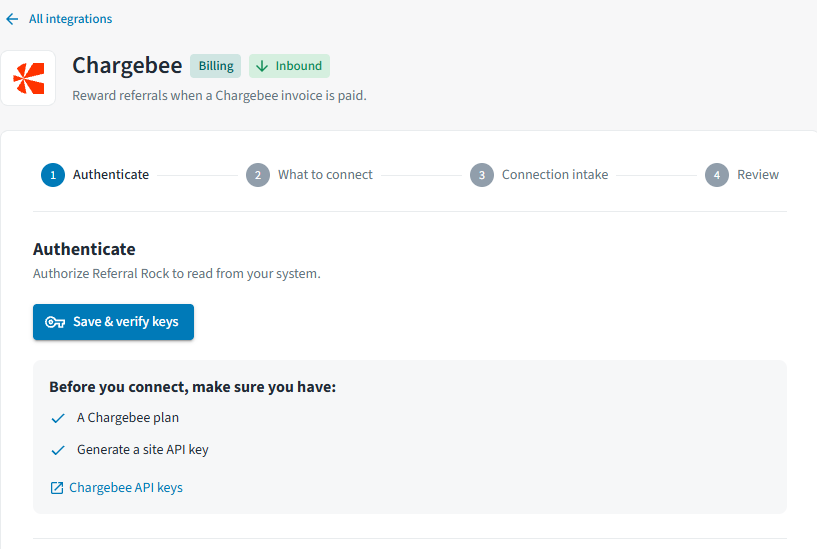
- Generate a site API key in Chargebee — see the Chargebee API keys guide.
- Find Chargebee on the Integrations page and select Connect, or click here.
Select Save & Verify Keys.
-
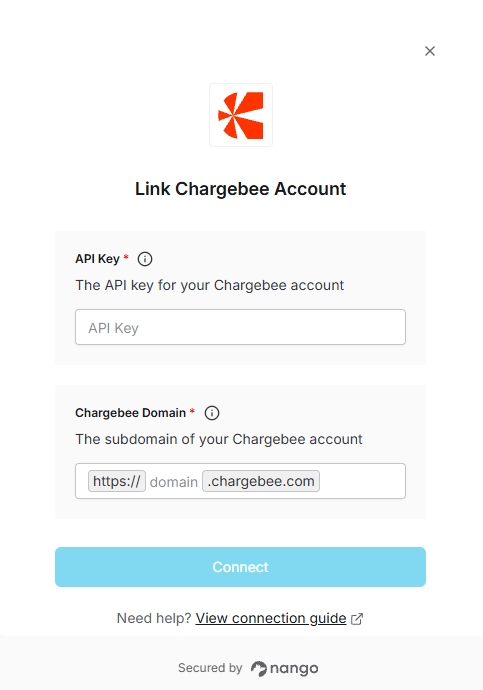
In the pop-up, enter the API key + your site/subdomain.
4. Follow the remaining steps to finish connecting Chargebee.
Reward note: the Customer Feed approval can trigger a Reward Payout automatically.
Updated 10 days ago
Did this page help you?